友情链接:
Contact us Chinese English Alibaba
DYLINK new technologyNational High-Tech Enterprise
Service Hotline0755 86120002


Service Hotline0755 86120002

分类:4-in-1
描述:
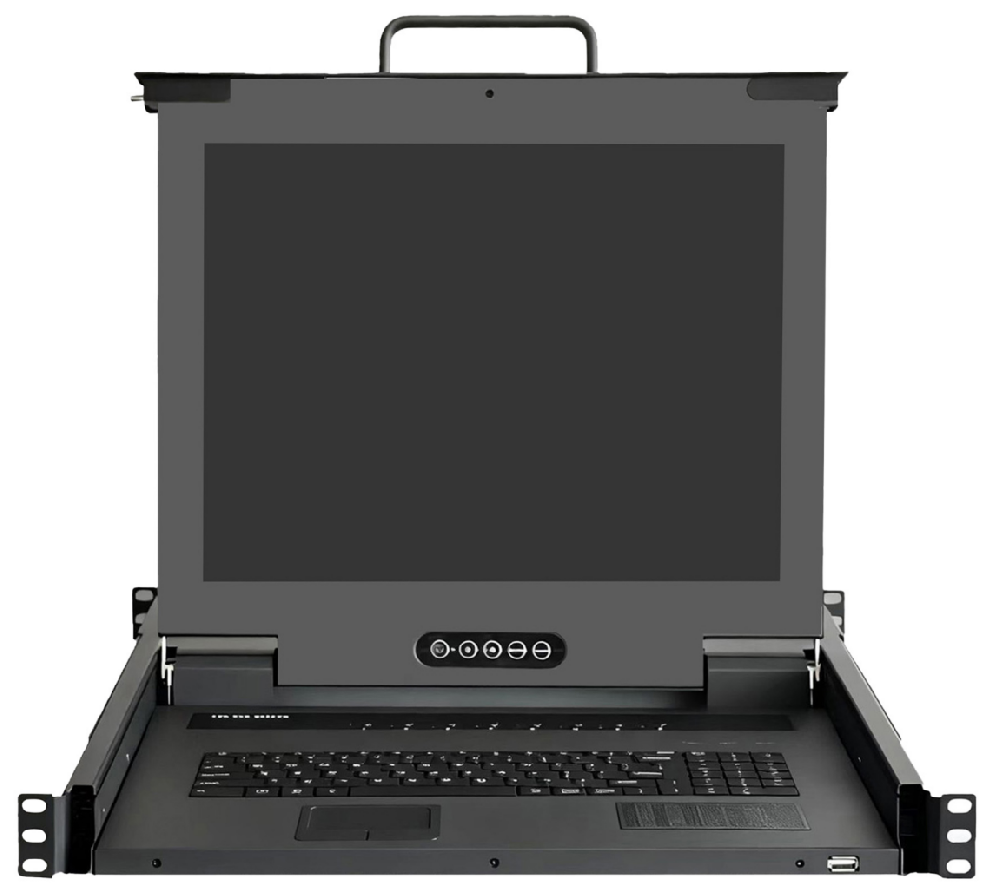
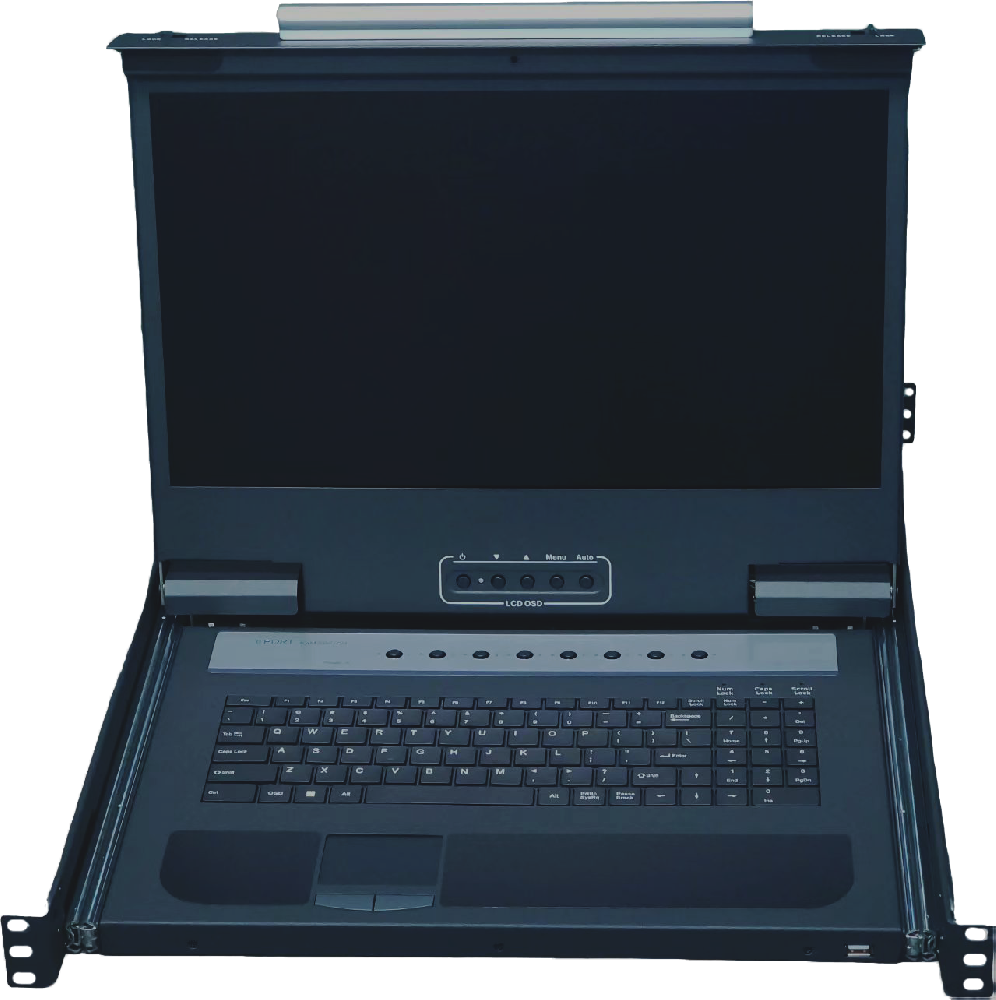
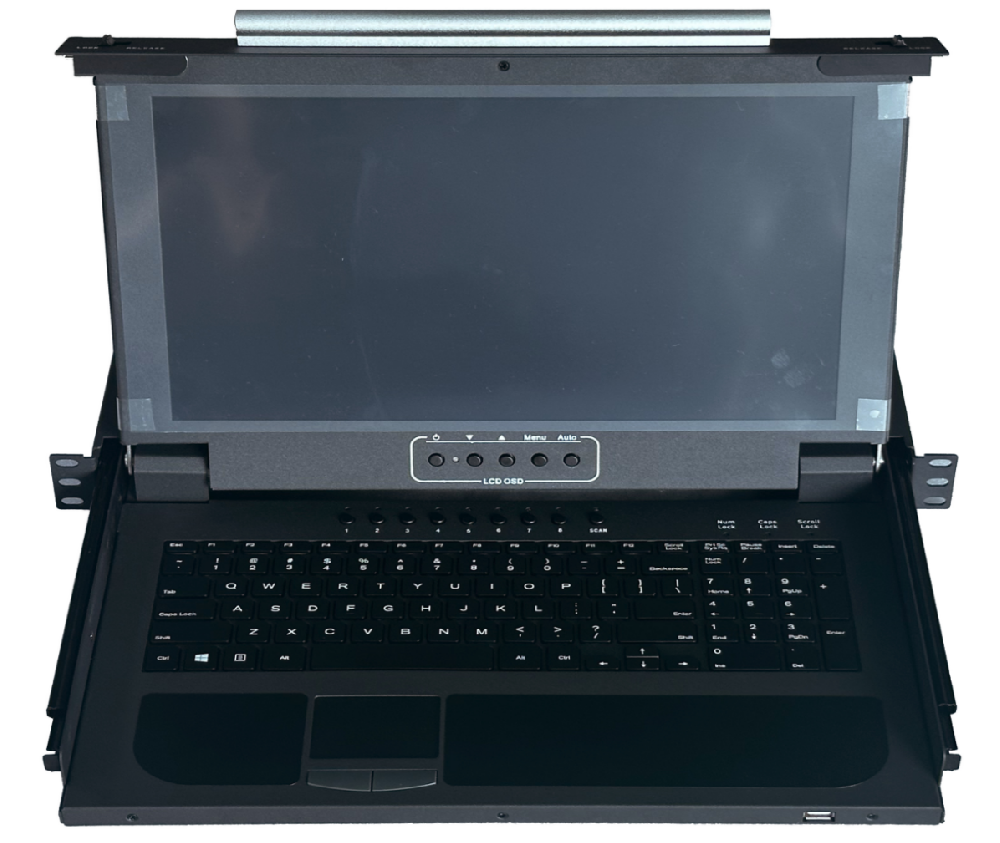
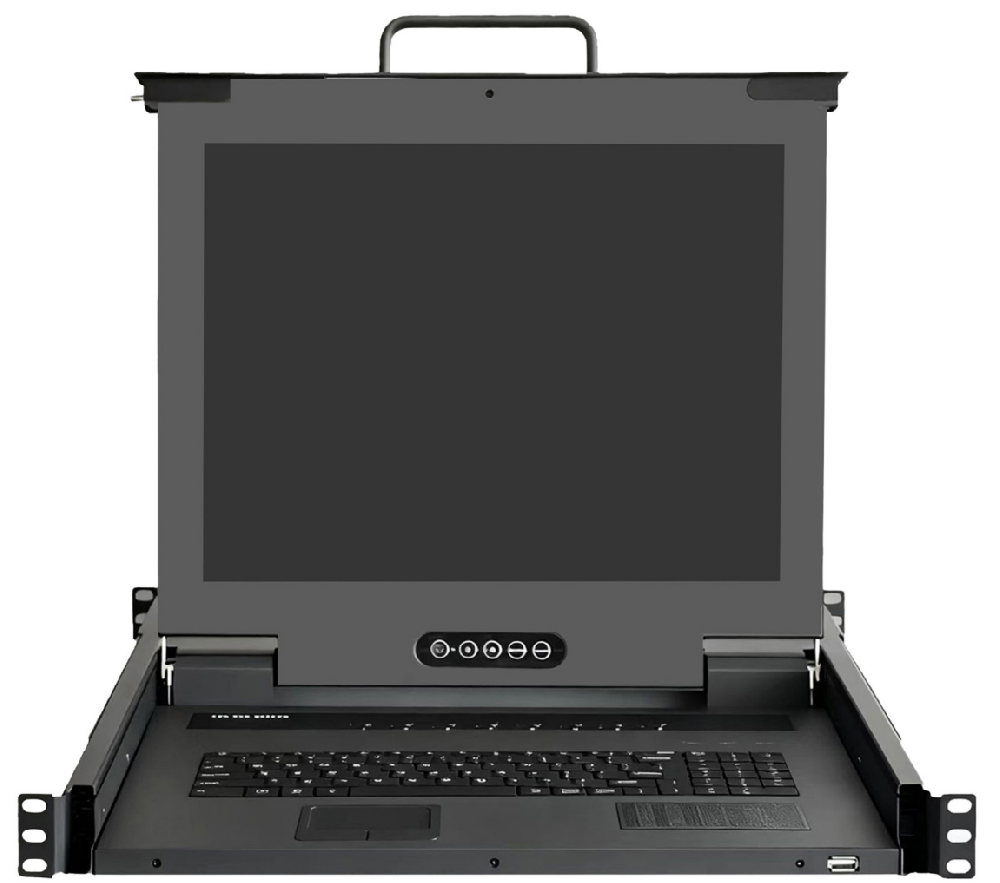
Product IntroductionDY-SWB1708It is a rack-mounted 17-inch screen 8-port LCD KVM switch. It features high-definition image quality without distortion, snow, or ghosting. The device has an additional local control port built into its body, allowing the connection of a separate keyboard, mouse, and mo0755 86120002

Product Introduction
DY-SWB1708It is a rack-mounted 17-inch screen 8-port LCD KVM switch. It features high-definition image quality without distortion, snow, or ghosting. The device has an additional local control port built into its body, allowing the connection of a separate keyboard, mouse, and monitor. It supports rack installation, which is easy to install and operate. The body is aesthetically pleasing and sturdy, making it a professional choice.

Product Features
l Integrates a 17-inch LCD display, keyboard, mouse, and KVM control unit into a single pull-out chassis;
l Standard 1U rack-mounted installation;;
l Can directly connect 8 computers or servers;;
l Supports an external KVM control port;
l Lightweight chocolate keyboard with numeric keypad;
l Supports built-in AC 220V and DC 12V adapter power redundancy
l Resolution up to 1280*1024 @ 60Hz;
l Support hot-swapping to add or remove connected devices without shutting down KVM or the device power.
l No software installation is required - simply select to switch the controlled port server by clicking the panel button, keyboard hotkey, and OSD menu below.
l The rail has an automatic locking device, a drawer-style installation design, and can be adjusted in length to fit various cabinet spaces.
l Auto-scan function: The KVM automatically scans computers one by one, and names each server through the OSD video control menu for convenient management;;
l Compatible with mainstream brand host computers, servers, hard disk recorders, industrial control computers and other devices;
l Follow the ISO9001:2015 product quality certification system;
Product Accessories
DY-SWB1708 | SWB1708 Host / USB VGA 1.8M Cable *8 / 1.5M National Standard Power Cord |

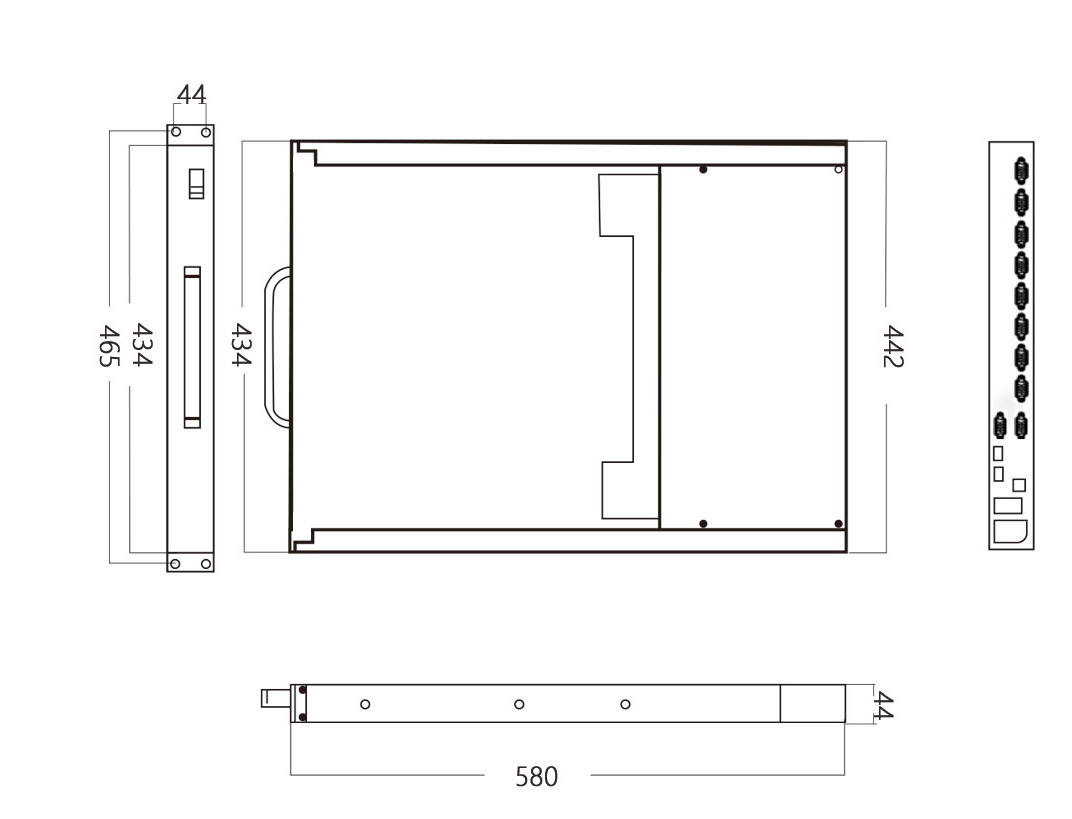
Product dimensions
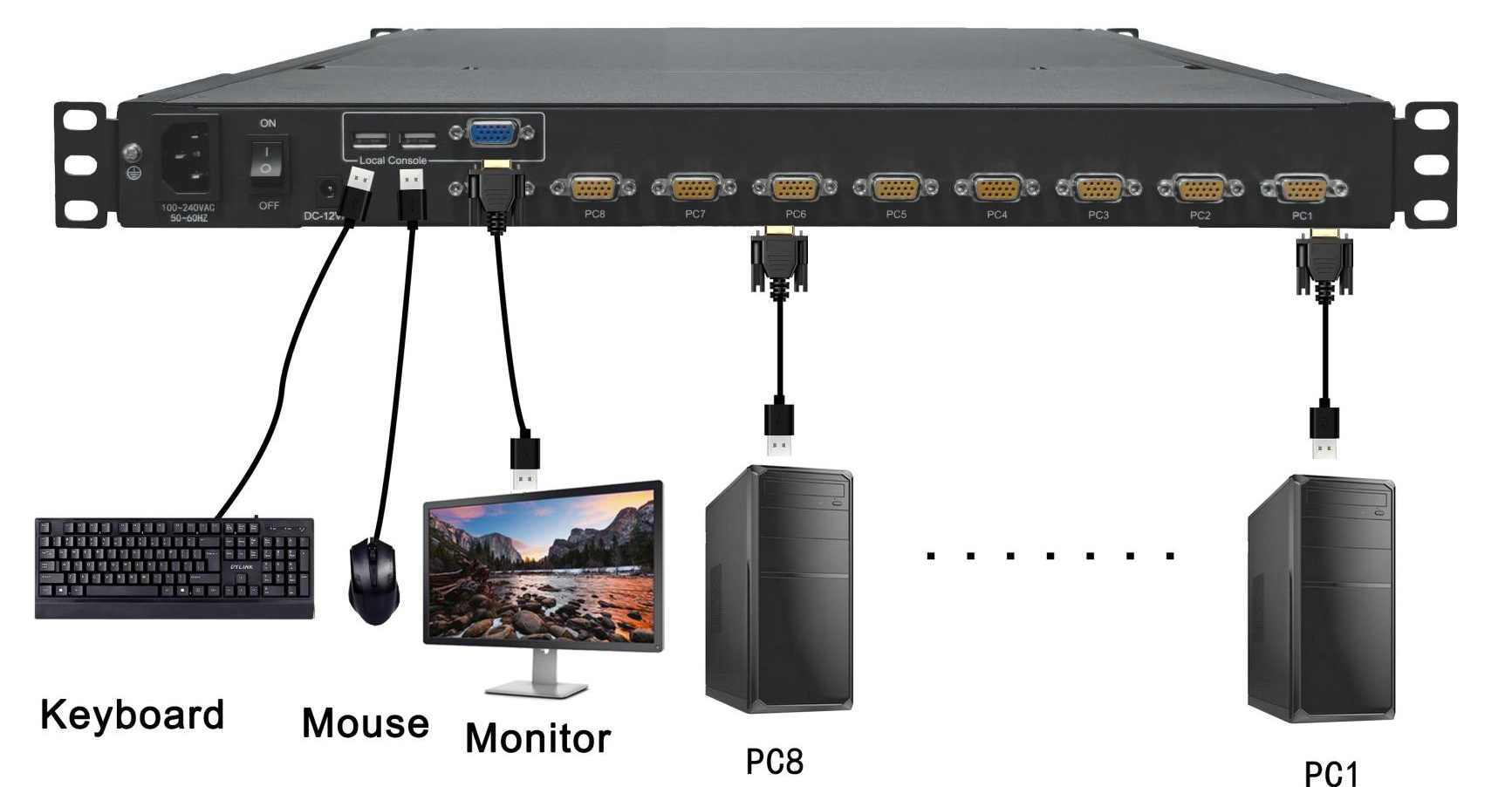
Product Connection Diagram
Switch with buttons
8-Port:
Press the 1-8 port buttons on the host to switch directly
Menu toggle
(1) OSD key

(2)Call up the OSD menu via hotkeys
OSD (On-Screen Display Menu)
Main Menu --- Provides 8 menus for operation, details as follows:
Main Menu | Function |
01 LANGUAGE | OSD Language Selection |
02 PORT NAME EDT | Edit port name |
03 PORT SEARCH | You can quickly search by port name |
04 USER SECURITY | Change password, add or remove users |
05ACCESSC LIST | Confirm user access permissions |
06 HOTKEY | Change Hotkey |
07 TIME SETTINGS | Change the auto-scan interval |
08 OSD MOUSE | Change mouse pointer speed |
Installation Steps
Please install according to the installation diagram and the following operating steps:
(1) Please ensure that the power of all devices to be connected is turned off, including the power of the originally existing devices being turned off.
(2) Use a set of KVM cables to connect the rear ports of the KVM switch to the servers with KVM-specific cables.
(3) a) For the USB connector, connect the VGA to the VGA port on the KVM unit, then connect the VGA to the server's VGA port, and finally connect the USB to the server's USB port.
(4) b) For the PS/2 connector, insert the keyboard, mouse, and monitor connector into the corresponding ports on the host.
(5) 5) Note: Repeat steps 2 and 3 to connect other hosts.
(6) KVM set up an electric circuit
(7) 7) Turn on the power of all hosts.
Note: Power-on sequence requirements. First, turn on the server power, then turn on the KVM power.
Specification Parameters
DY-SWB1708 | Number of connected computers | 8(cascading) |
Connect port | 8 x HDB-15 Female connector | |
External control port | Display Interface | 1 x VGA |
Keyboard and mouse interface | 3 x USB | |
Display screen | Display Screen Type | 17" TFT LED |
Visible area | 17 inches | |
optimum resolution | 1280 x 1024@60HZ | |
Power supply | Power Supply Rated Value | AC 100V~240V / DC12V 3.33A |
Actual power of the entire unit | 18W | |
Work environment | Recommended work | 0~60°C |
storage temperature | -20~70°C | |
Humidity | 0~80% RH, No condensation | |
Physical properties | Material and Craftsmanship | High-strength, corrosion-resistant electrolytic plate |
Net weight of machine | Net weight: 11.45 kg; Gross weight: 16.9 kg | |
Size(D x W x H) | 580mm*465mm*44mm; |
 DYLINK new technology
 0755 86120002
 liyj@dayapc.com
 13316531915
 West 2nd Floor, Building B, No. 91, Ma Hom South Road, Ma Hom Community, Xili Street, Nanshan District, Shenzhen
  公众号二维码
公众号二维码
业务主管
业务经理
业务经理
业务经理
售后