友情链接:
Contact us Chinese English Alibaba
DYLINK new technologyNational High-Tech Enterprise
Service Hotline0755 86120002


Service Hotline0755 86120002

分类:HDMI DVI DP KVM4in-1
描述:
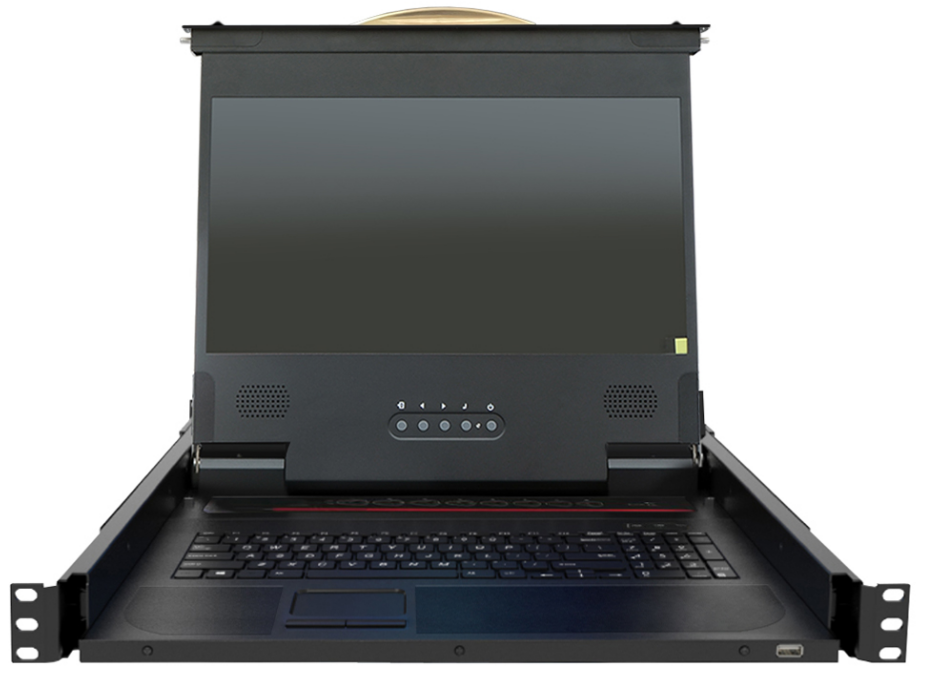
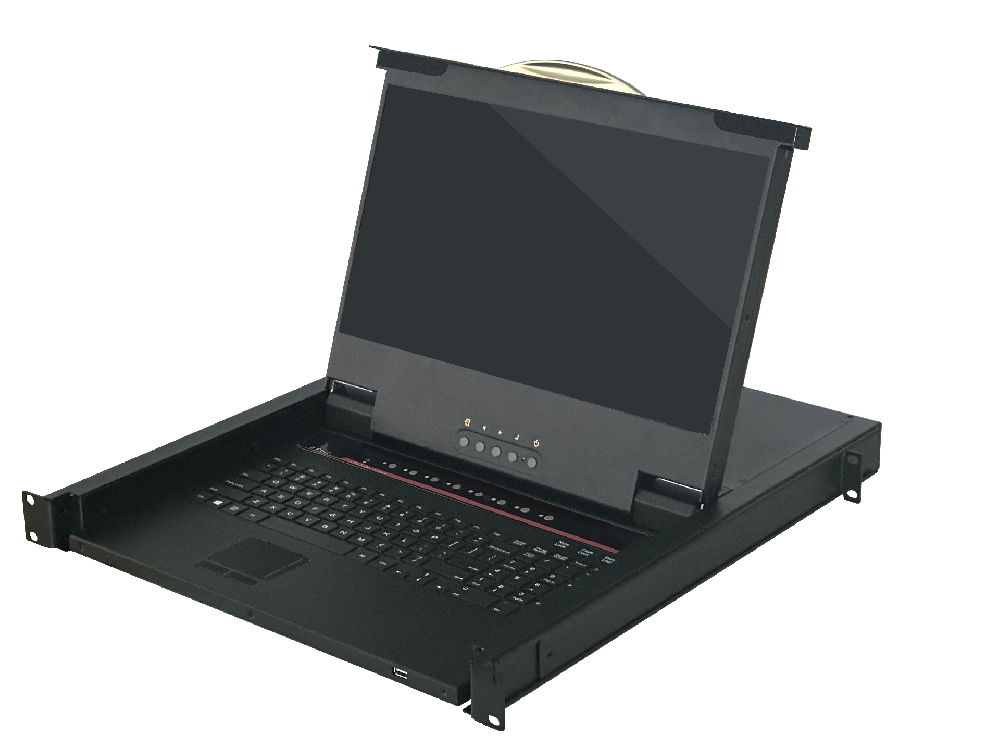
Product DescriptionDY-SW1508HF-410mmIt is a KVM control device with video and USB switching functions. It integrates 8 KVM consoles and a 15.6-inch LCD screen into a 1U height structure, allowing management of 8 computer servers through an internal keyboard, touch mouse, and display. It is efficient0755 86120002

Product Description
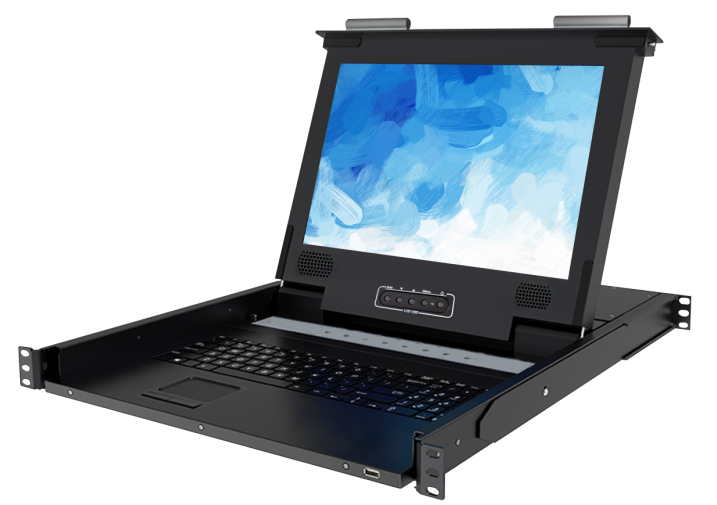
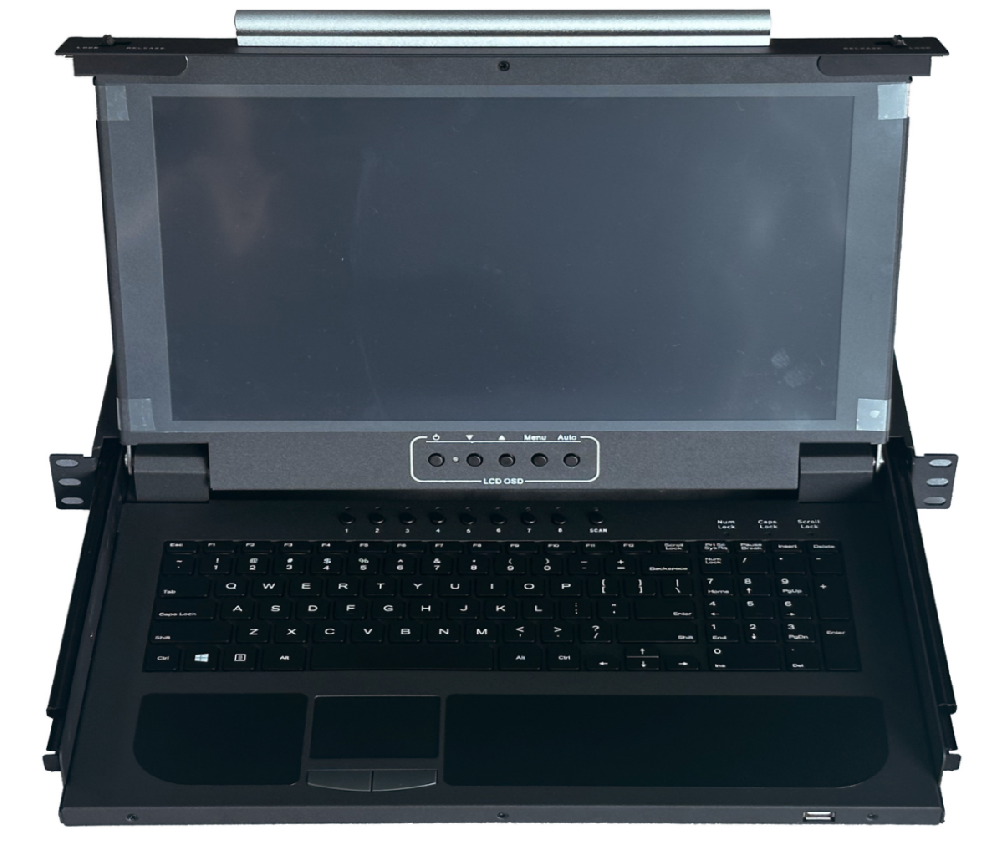
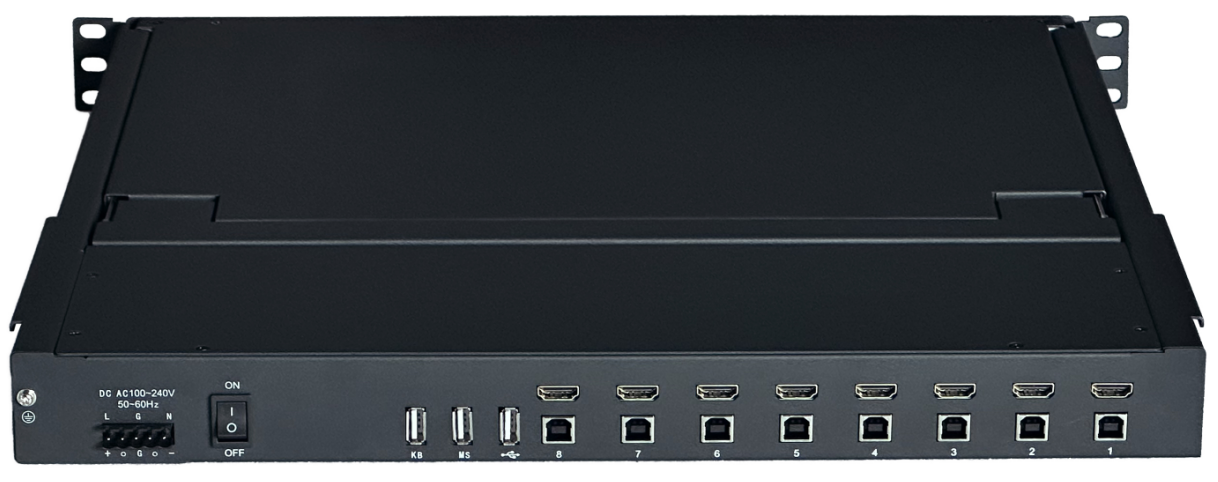
DY-SW1508HF-410mmIt is a KVM control device with video and USB switching functions. It integrates 8 KVM consoles and a 15.6-inch LCD screen into a 1U height structure, allowing management of 8 computer servers through an internal keyboard, touch mouse, and display. It is efficient, convenient, space-saving, and cost-effective. The device is easy and convenient to install; simply insert the cables into their corresponding ports. No software configuration is required, and there are no compatibility issues.
Product Features
l Integrate 8-port KVM console and 15.6-inch LCD screen into a 1U height structure to manage 8 computer servers;
l Equipped with BOE high-definition display screen, with a resolution as high as 1920 x 1080, and compatible with multiple lower resolutions.
l The video switching speed is fast; images can be rendered in 1~2 seconds.
l Connect to the computer server port via a USB interface to use the keyboard and mouse for computer control;
l Built-in keyboard, touchpad, and display;
l Built-in USB Hub, fully compatible with USB 2.0 specifications, and provides two USB 2.0 ports (1 rear, 1 front), which can connect any USB 2.0 devices such as USB flash drives, cameras, U-shields, etc.
l It features two USB1.1 ports (rear-mounted) for connecting external USB peripherals, including most standard and wireless mice. The USB mouse support port emulation, enabling seamless switching between USB mice across computer servers.
l Cross-platform support for Windows, Unix, Linux, Mac, and domestic operating systems based on Linux such as Neux, Kylin, and UnionTech OS;
l Hot-swappable support – servers can be added or removed at any time without needing to power off the LCD console;
l The panel has 8 buttons to select and switch between 8 computer servers, and it can also switch using hotkeys;
l Automatic scanning function, with adjustable automatic scanning interval time of 5-200 seconds in seven steps;;
l No software installation is required; you can directly operate on the computer server.
Structural Dimension Diagram
Power-on indicator
AC220V alternating current is connected————
DC220VDC power connection——— 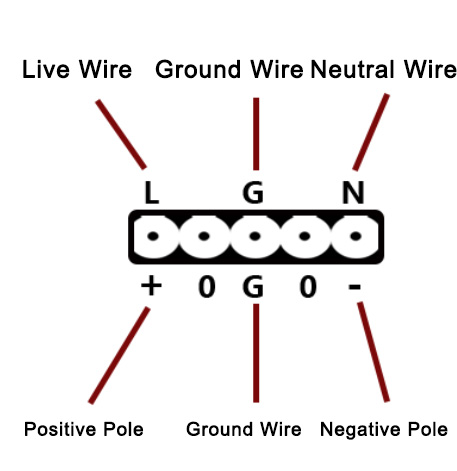
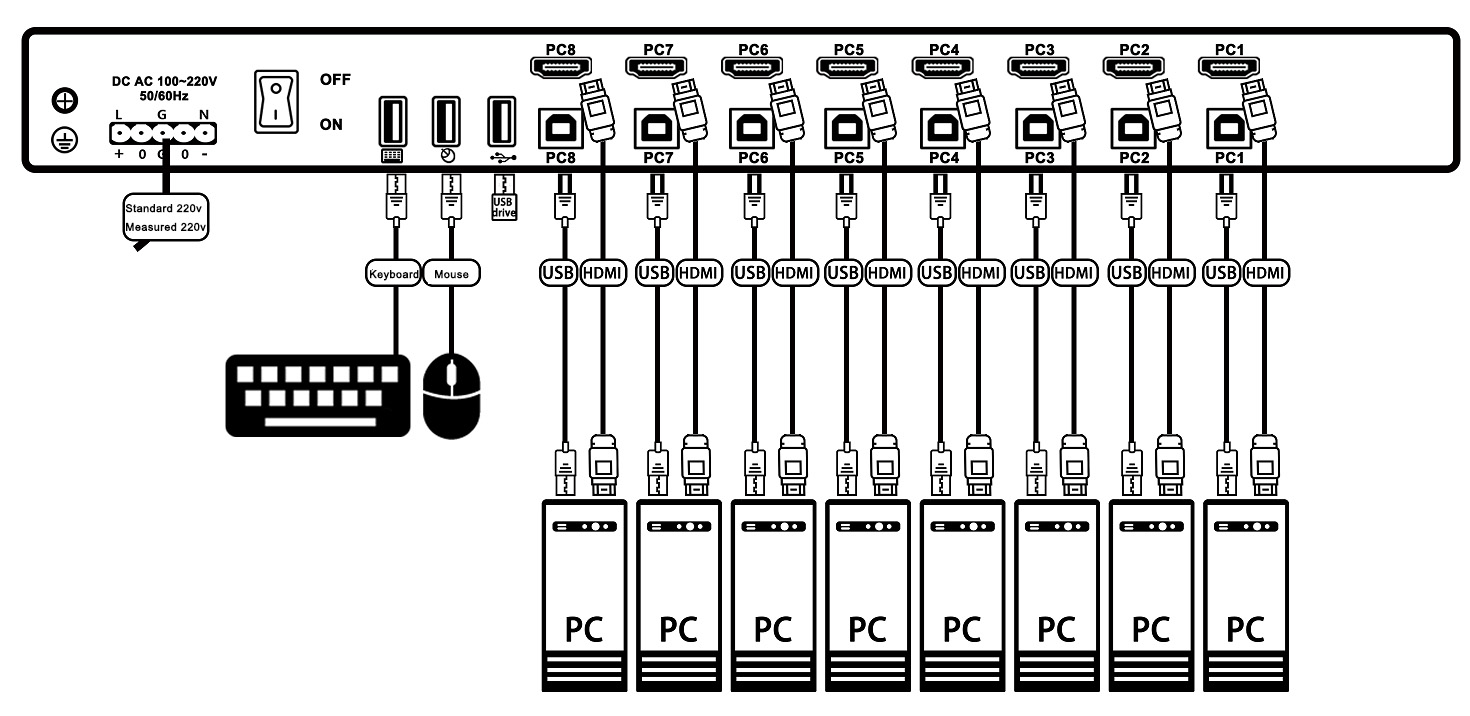
Schematic diagram of device connection
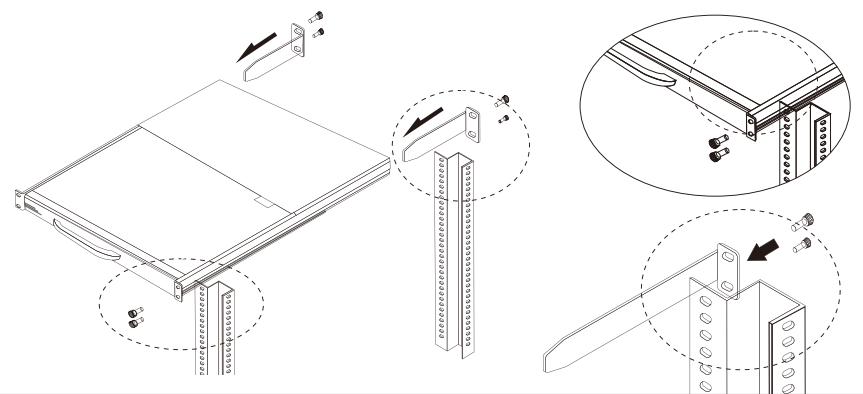
Rack installation and usage
The LCD KVM intelligent control platform series meets the installation requirements of standard 19-inch cabinets. It is installed from the back to the front: first, mount the rear ears on the back of the cabinet and tighten the rear ear screws. Then insert the KVM control platform into the cabinet from the front along the ear guide slots and tighten the front ear screws. Depending on the adjustable length of the ears, it can be installed in cabinets with a depth of 600mm to 1000mm.
After installing KVM, connect the power supply, then connect the computer's HDMI and USB ports one by one.
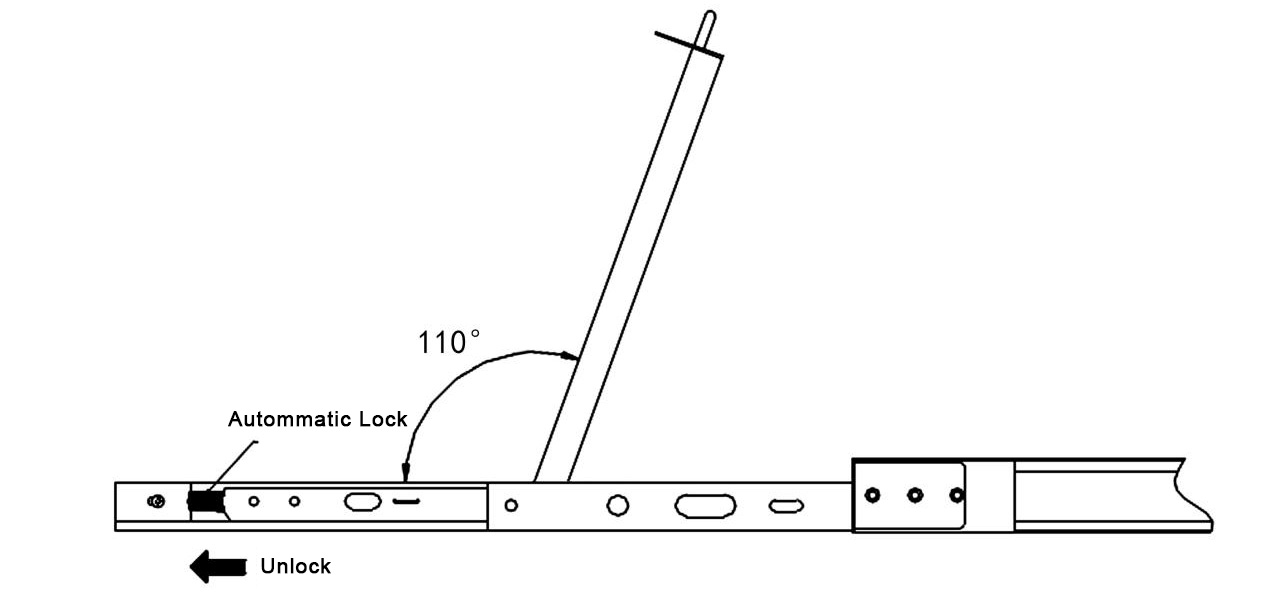
2、Push the console latch inward, fully pull out the KVM console from the cabinet, and the rails will automatically lock.
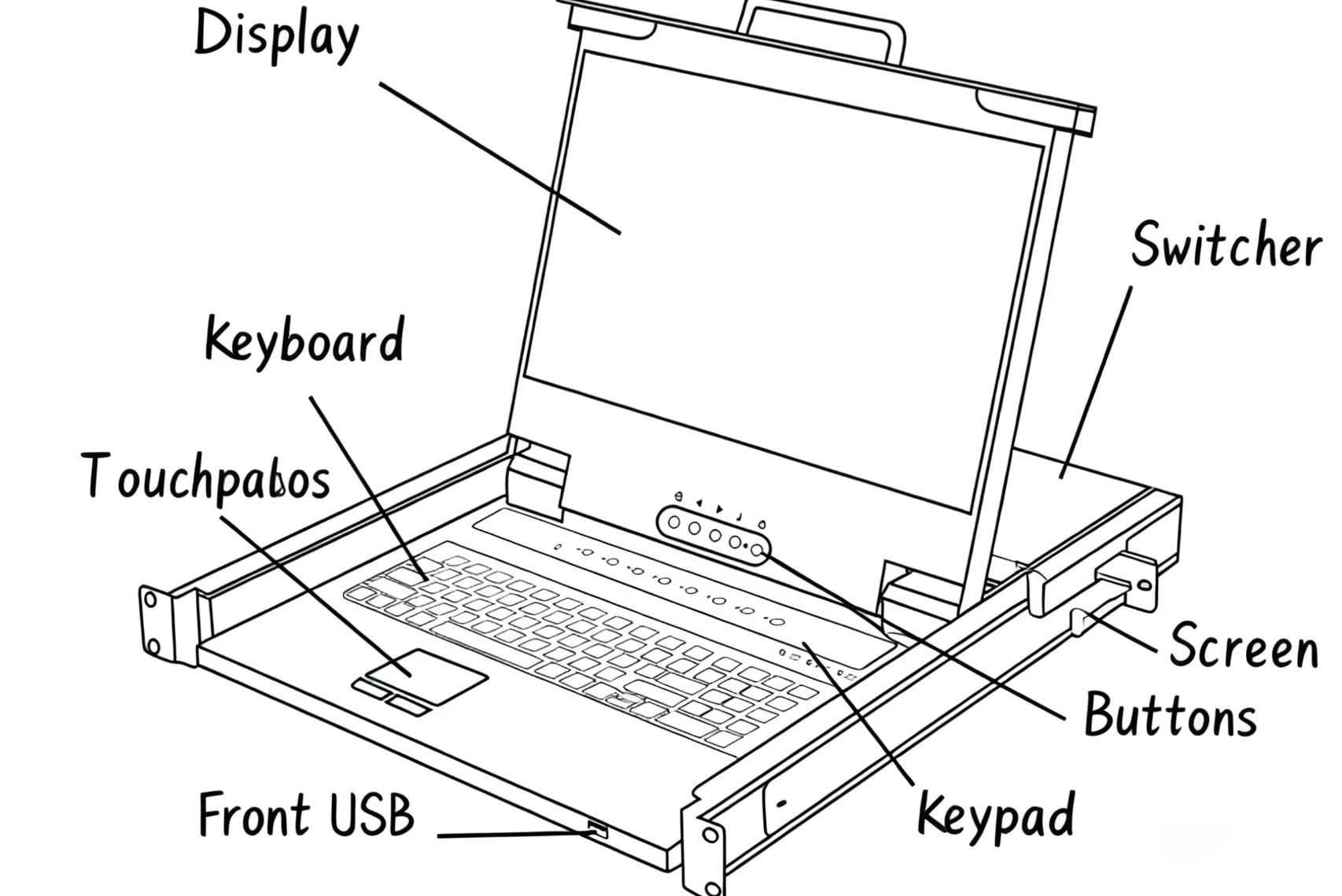
2、Flip up the LCD display, which can be opened to 110 degrees. When in use, please adjust it to the optimal viewing angle for easy operation and use (see the figure below).
3、After opening the box cover, push the automatic locking modules on both sides outward to unlock, then gently push the cabinet in.
Switching Method Description
①Keyboard Switch
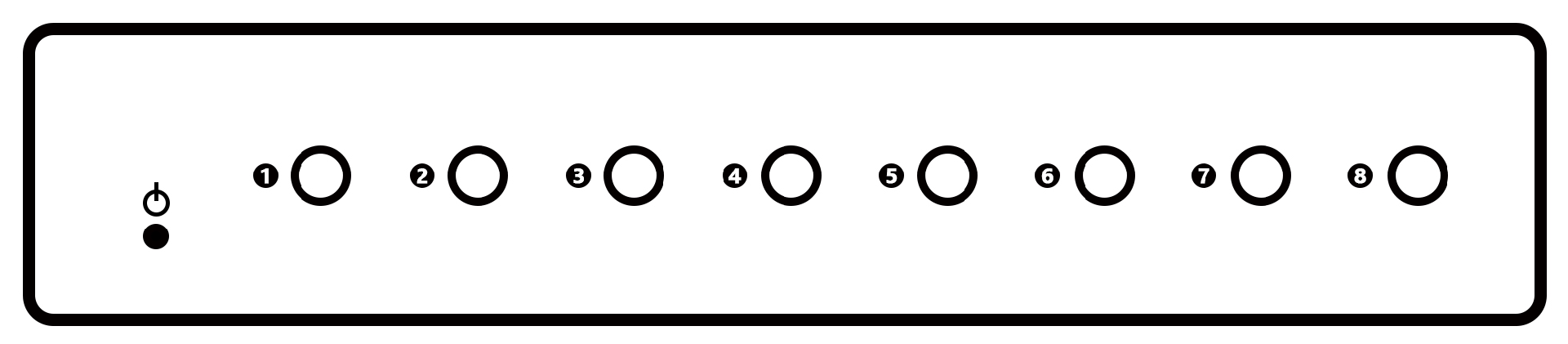
The key panel is located at the top of the keyboard, and each key on it corresponds to a different PC port. Pressing a key once allows you to switch to the corresponding computer.
Note: A flashing indicator light means that the KVM is currently using this port.
②Hotkey switching
Switch ports using hotkeys with the built-in keyboard and external keyboard
Hotkey | Function |
Double-click Scroll Lock + port number (1~8) + Enter | Connect KVM to the corresponding video and USB ports |
Double-click Scroll Lock + “S”+Enter | Enable or disable port auto-polling |
Double-click Scroll Lock + “P”+Enter | Increase the polling interval |
Double-click Scroll Lock + “D”+Enter | Decrease the polling interval |
Model | SW1508HF | SW1508H | |
LCD Screen parameters | Size: | 15.6-inch 1080P screen (LCD) | 5.6-inch 4K LCD screen |
Resolution: | 1920(RGB)×1080, FHD | 3840(RGB)×2160 , UHD | |
Color display: | 16.7M | 16.7M | |
Brightness: | 250 cd/m2 | 300 cd/m2 | |
Viewing Angle: | 85/85/85/85 (Typ.)(CR≥10 | 89/89/89/89 (Typ.)(CR≥10 | |
Display area | 382.12W)×214.94(H) mm | 382.12(W)×214.94(H) mm | |
Contrast: | 800:1 (Typ.) (TM) | 1000:1 (Typ.) (TM) | |
Working frequency | 60Hz | 60Hz | |
Interface | Control signal | 8 x USB-B ports | 8 x USB-B ports |
Video signal | 8 x HDMI 2.0 type interface | 8 x HDMI 2.0 type interface | |
keyboard and mouse extension interface | 2 x USB 1.1 rear ports | 2 x USB 1.1 rear ports | |
Peripheral Expansion Operation Interface | 1 x USB 2.0 front port, 1 x USB 2.0 rear port | 1 x USB 2.0 front port, 1 x USB 2.0 rear port | |
Switch Board Function | 8 x Switch buttons (Switch buttons can switch any port) | 8 x Switch buttons (Switch buttons can switch any port) | |
Switch Panel Indicator Light Function | 8 x red LED lights (the LED lights flashing indicate the current port position) | 8 x red LED lights (the LED lights flashing indicate the current port position) | |
Maximum PC connections: | 8 units | 8 units | |
PC port connection specifications | HDMI | HDMI | |
Switching method: | Switching with buttons/hotkeys | Button Hotkey Switch | |
Automatic scan interval: | 5 to 200 seconds with 7 adjustable levels | 5 to 200 seconds with 7 adjustable levels | |
Keyboard/Mouse: | 98-keyboard and touchpad | 98 Keyboard and Touchpad | |
Input Rated Voltage: | AC 100-240V , 50/60Hz , 48w | AC 100-240V , 50/60Hz , 48w | |
Shell: | Metallic shell painting | Iron Shell Spraying | |
Space: | 1U, 19-inch rack | 1U, 19-inch rack | |
Net Weight / Gross Weight (KG): | 11.5kg / 17kg | 12.7kg / 17kg | |
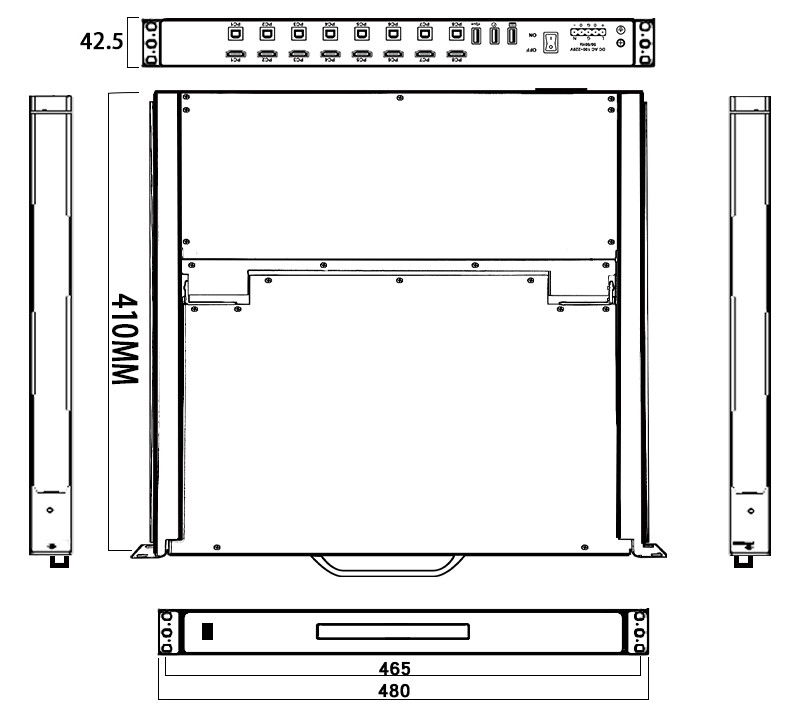
Size W x H x D): | 442 x 42 x410 (mm) | 442 x 42 x 410 (mm) | |
Package dimensions (W x H x D): | 672x575x175mm | 672x575x175mm | |
Operating Temperature: | 0°C to50 °C | 0°C to50 °C | |
Storage Temperature: | -20°C to 60°C | -20°C to 60°C | |
Humidity: | 10% to 90%,No condensation | 10% to 90%,No condensation | |
Specification Parameters
Common Fault Handling
1. When the computer is turned on, but the keyboard and mouse are not working.
l Please confirm whether this computer can operate normally with any keyboard and mouse connected.
l Please confirm that the USB cable is connected to both the computer and the KVM, then restart this computer.
l Do not press any keys on the keyboard while the selected computer is powering on. Otherwise, it may cause a keyboard error on the computer or failure to detect the keyboard.。
l When switching ports, avoid moving the mouse or pressing any mouse buttons.
2、KVM has no video signal.。
l Connect other displays directly to the server to confirm if they can display normally.
l Please check if all connectors are properly connected.
l Please confirm that the power supply is connected to the KVM.
l Is the LCD screen power button turned on?
 DYLINK new technology
 0755 86120002
 liyj@dayapc.com
 13316531915
 West 2nd Floor, Building B, No. 91, Ma Hom South Road, Ma Hom Community, Xili Street, Nanshan District, Shenzhen
  公众号二维码
公众号二维码
业务主管
业务经理
业务经理
业务经理
售后