



友情链接:
Contact us Chinese English Alibaba
DYLINK new technologyNational High-Tech Enterprise
Service Hotline0755 86120002


Service Hotline0755 86120002

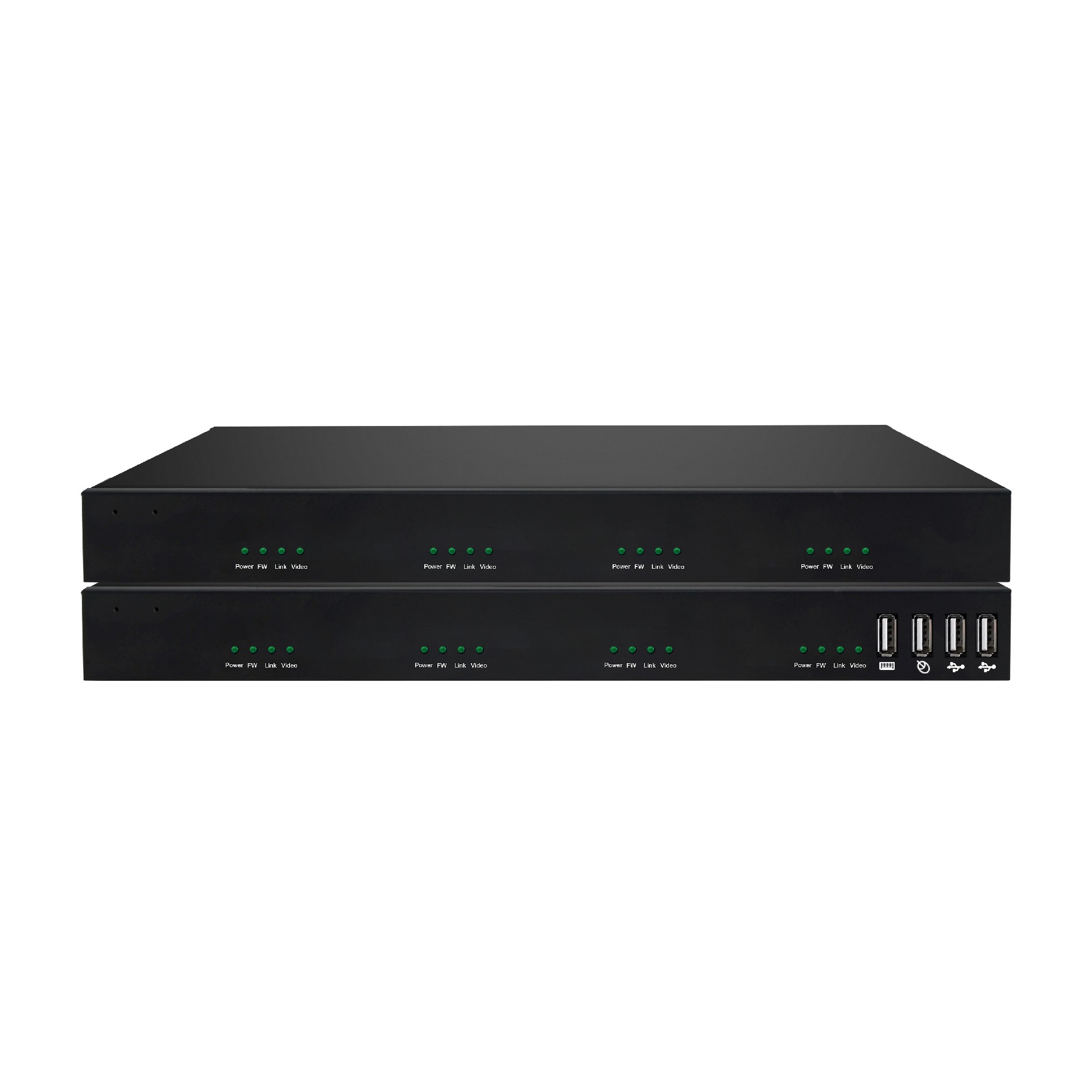
分类:Dual Screen KVM Fiber Extender
描述:
Overview:The 4K KVM over IP HD video fiber optic extender is a KVM video signal extension device primarily based on IP technology and connected via fiber optics. Featuring professional over IP KVM functionality, it enables remote access to the computer system through the internal network from the US0755 86120002

Overview:
The 4K KVM over IP HD video fiber optic extender is a KVM video signal extension device primarily based on IP technology and connected via fiber optics. Featuring professional over IP KVM functionality, it enables remote access to the computer system through the internal network from the USB control terminal.
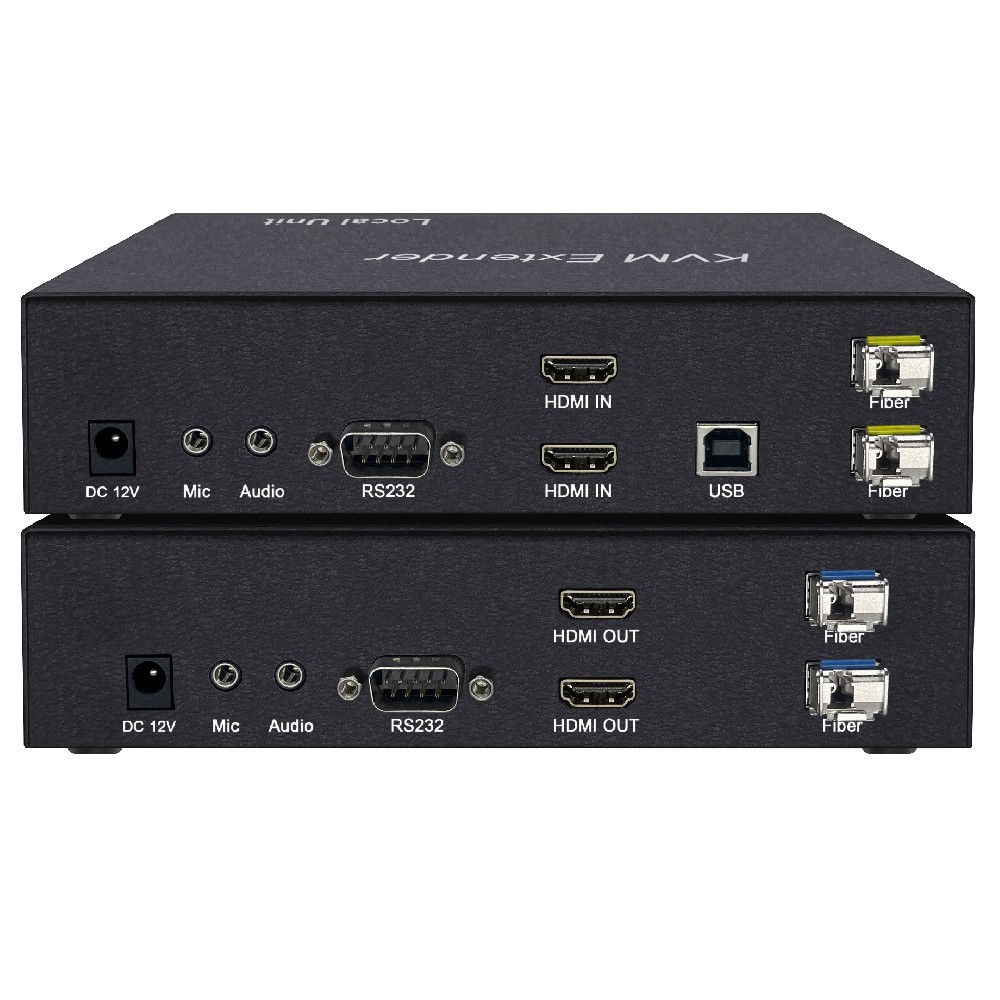
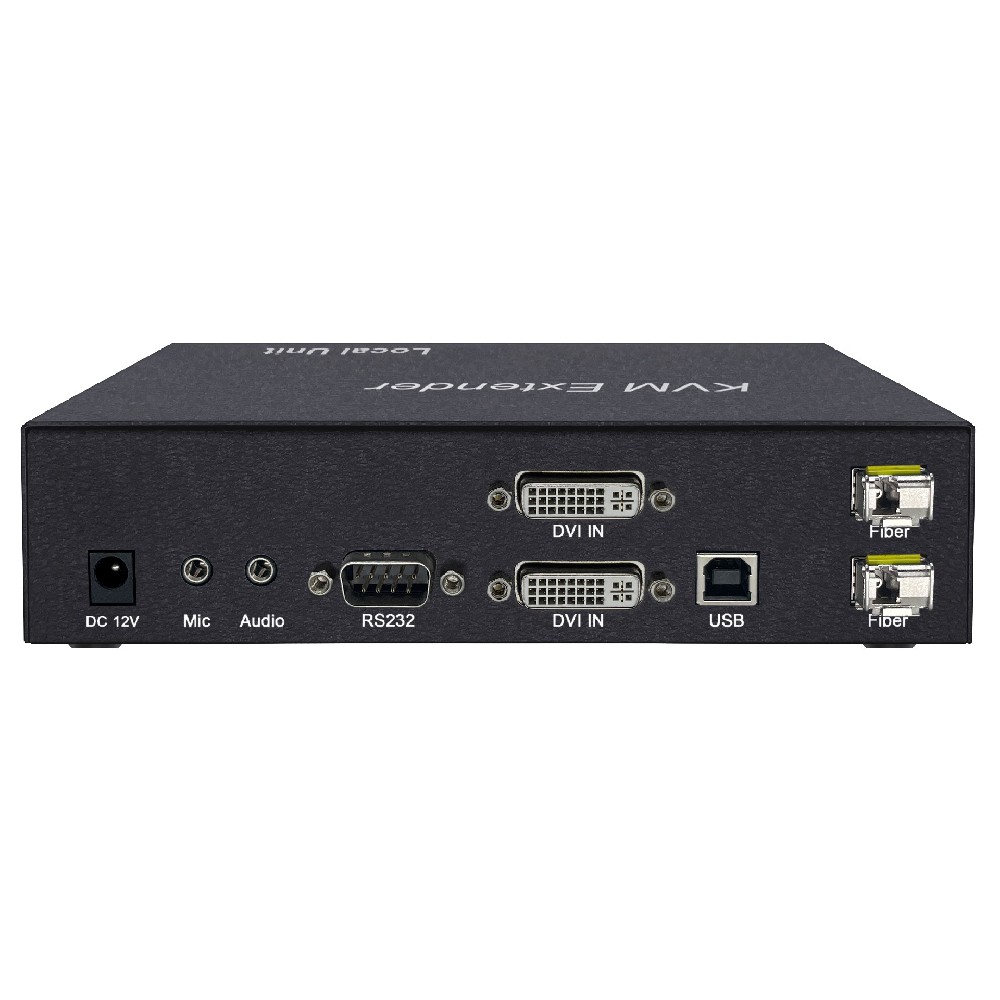
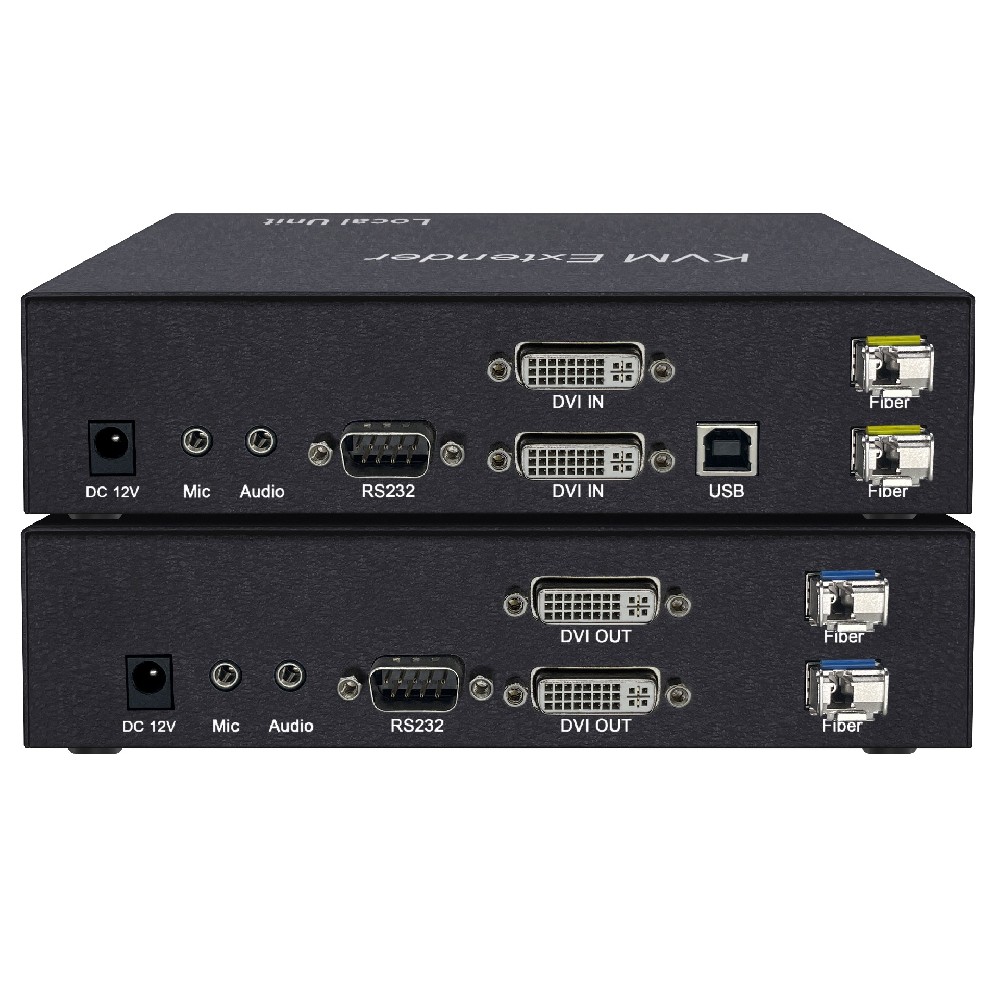
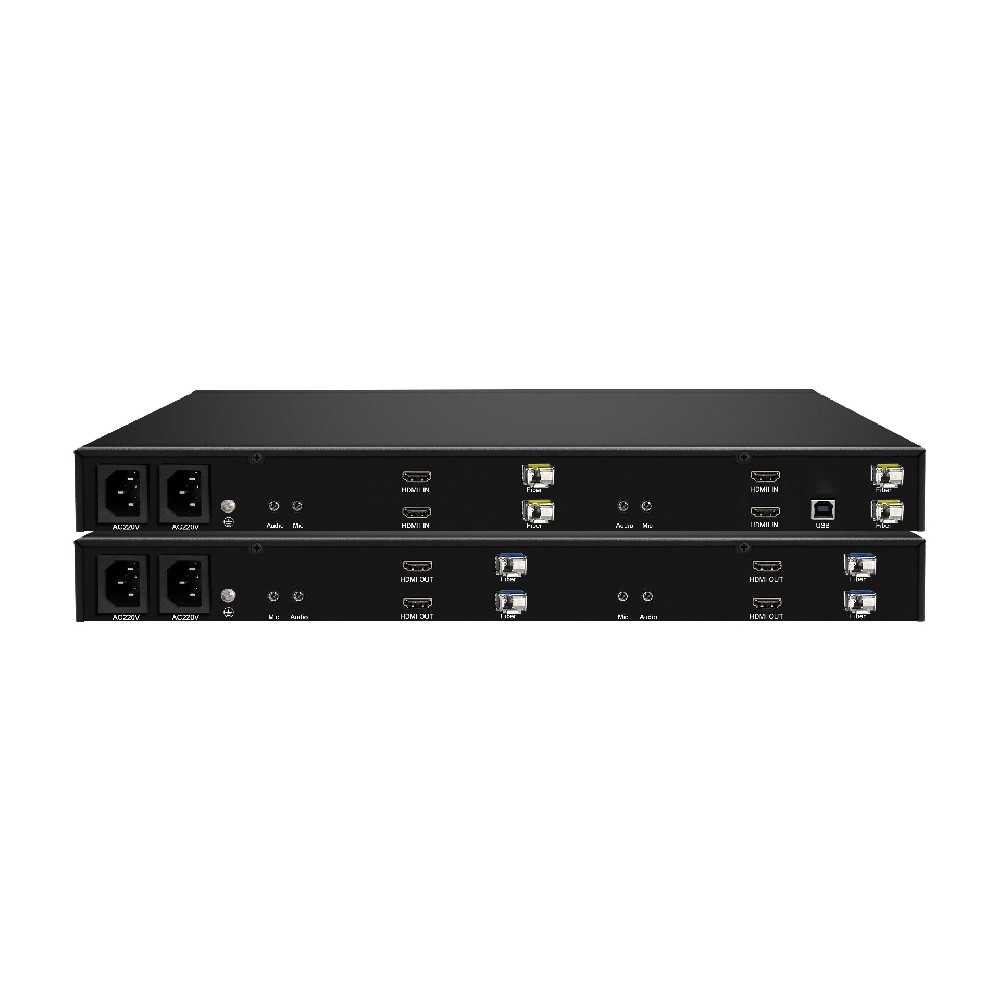
This fiber-optic ultra-HD KVM extender combines 4 HDMI video inputs, 4 USB keyboard/mouse ports, 2 independent audio channels, and 4 LC fiber optic interfaces into a rugged housing. Utilizing Gigabit digital encoding technology, it connects the host computer's HDMI signals and USB controls via fiber optic cables (single-mode up to 20 km, multi-mode 300-500 m) to the extender's output. Users can operate the computer directly from the receiver, which also features HDMI video output. Supporting 4K and 2K resolutions (up to 3840 x 2160), it delivers exceptional image clarity with ultra-low latency for premium video quality. Ideal for educational institutions, banking, healthcare, and confidential office environments, this versatile extender meets diverse professional needs.
n Using gigabit digital coding technology, the image is clear and smooth with little delay.;
n independent bidirectional audio transmission;
n 220V/AC AC input with dual power supply redundancy;
n Transmission of SFP single-mode single-fiber LC optical fiber signal interface;
n Hot-swappable design, plug and play;
n Supports 3840 x 2160@30Hz and backward compatibility with various standard resolutions.
n Design of 4 independent USB ports;
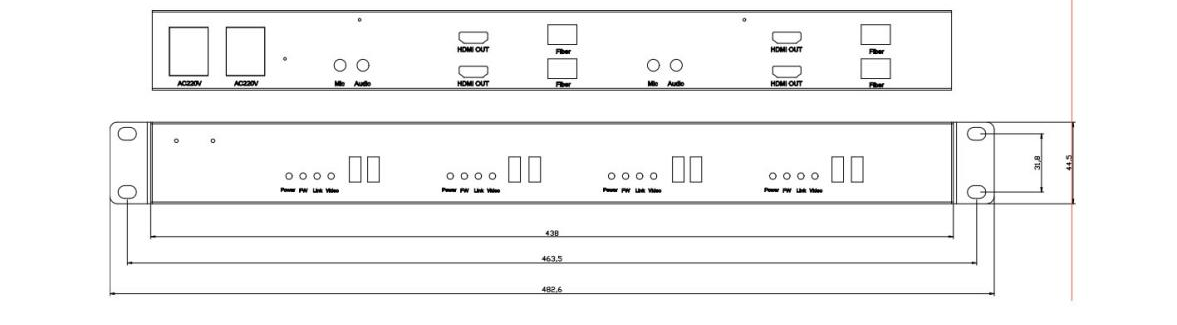
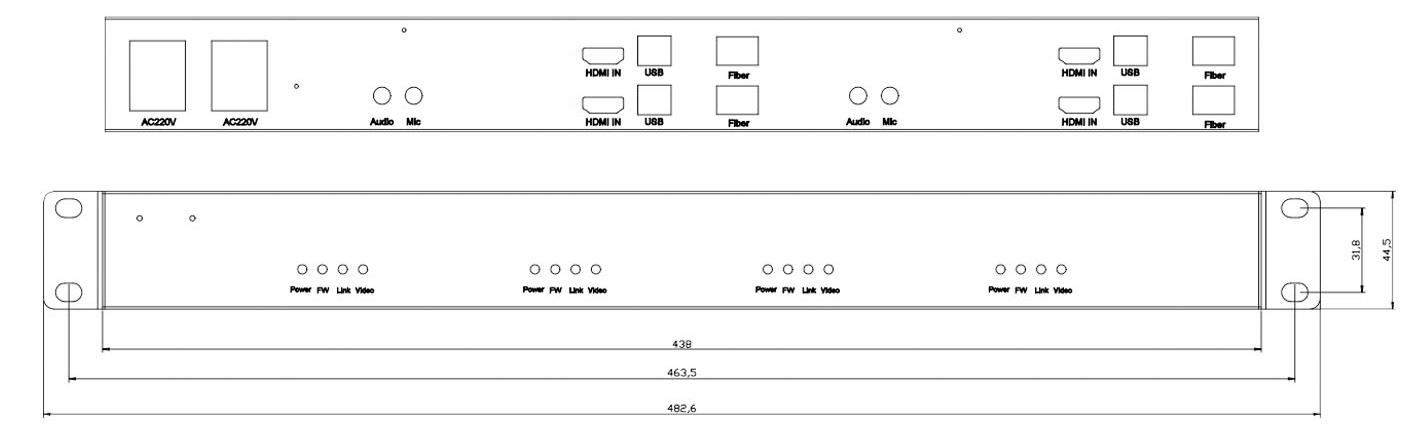
Interface diagram | ||
Device | Interface Name | nterface specification |
Indicator light | Power | Power indicator: On, indicating power is on |
FW | Work indicator: Flashing, the device is working normally | |
Link | Connection indicator: Always on, indicating successful connection between the sender and receiver | |
Video | Video signal light: On, video signal is on | |
Sender end | HDMI IN | Video signal input, connected to a host or server |
Audio | Audio interface: Send audio input | |
Mic | Microphone audio port: audio output from the transmitter | |
HDMI IN | Video signal input, connected to the host or server | |
USB Type B port | Mouse and keyboard signal interface: The transmitter connects to the host or server via a USB cable. | |
SFP optical port | The default configuration uses an LC optical module, connecting the transmitter and receiver with an optical fiber cable. | |
AC220V | Power interface: AC 100V~240V | |
| grounding interface | |
receiving end | HDMI OUT | Video signal output, connected to the monitor |
Audio | Audio interface: Receive audio output | |
Mic | Microphone audio input: audio input on the receiving end | |
| USB keyboard and mouse interface | |
SFP optical port | The default configuration uses an LC optical module, connecting the transmitter and receiver with an optical fiber cable. | |
AC220V | Power interface: AC 100V~240V | |
| grounding interface | |
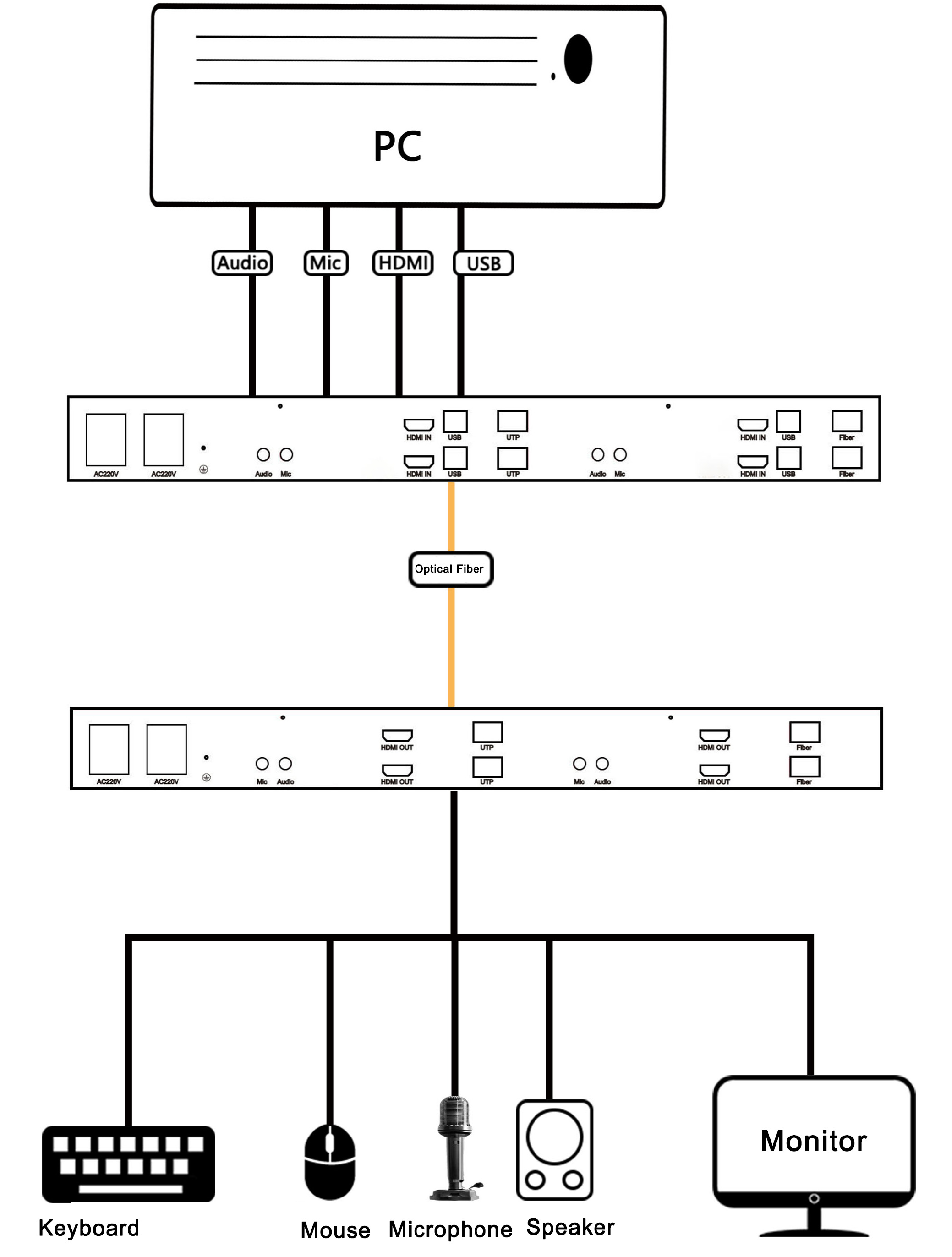
1. Connect the transmitter of the KVM extender to the computer. This includes connecting the HDMI video cable and USB cables (for keyboard and mouse) to the corresponding ports on the computer.
2. Connect the video output and USB port of the receiver to the monitor, keyboard, and mouse respectively.
3. The sender and receiver are connected by optical fiber.
4. Connect the power supply to both the transmitter and receiver.;
5. The connection status is displayed on both the transmitter and receiver through indicator lights.
6. Turn on the host to use it normally;
7. Support hot-swapping, allowing you to add or remove controlled devices at any time without powering down the KVM.;
8. Cross-platform support for mainstream operating systems including Windows, Linux, and Sun.。
Sender End | Receiver End | |
Connection port | HDMI video input ports*4 USB Type B port*4 Audio interface*2 Microphone interface*2 SFP optical port*4 | HDMI video input ports*4 USB Type A port*8 Audio interface*2 Microphone interface*2 SFP optical port*4 |
Indicator light | Videoindicator light*4;Linkindicator light*4;Powerindicator light*4;FWindicator light*4 | |
HDMI edition | 1.4 | |
HDCP edition | 1.2 | |
Resolution | Supports up to 3840*2160@30Hz and 1920*1080@60Hz | Supports up to 3840*2160@30Hz and 1920*1080@60Hz |
Power supply | power port*2 | power port*2 |
AC 100V~240V | AC 100V~240V | |
Power consumption | 《20W | 《20W |
Work environment | Recommended operating temperature: 0~50°C | Recommended operating temperature: 0~50°C |
Storage Temperature: -20~60°C | Storage Temperature: -20~60°C | |
Humidity 0~90% RH, no condensation | Humidity 0~90% RH, no condensation | |
Physical properties | Iron shell | Iron shell |
438x226x44.5(L*W*H)mm | 438x226x44.5(L*W*H)mm | |
 DYLINK new technology
 0755 86120002
 liyj@dayapc.com
 13316531915
 West 2nd Floor, Building B, No. 91, Ma Hom South Road, Ma Hom Community, Xili Street, Nanshan District, Shenzhen
  公众号二维码
公众号二维码
业务主管
业务经理
业务经理
业务经理
售后